
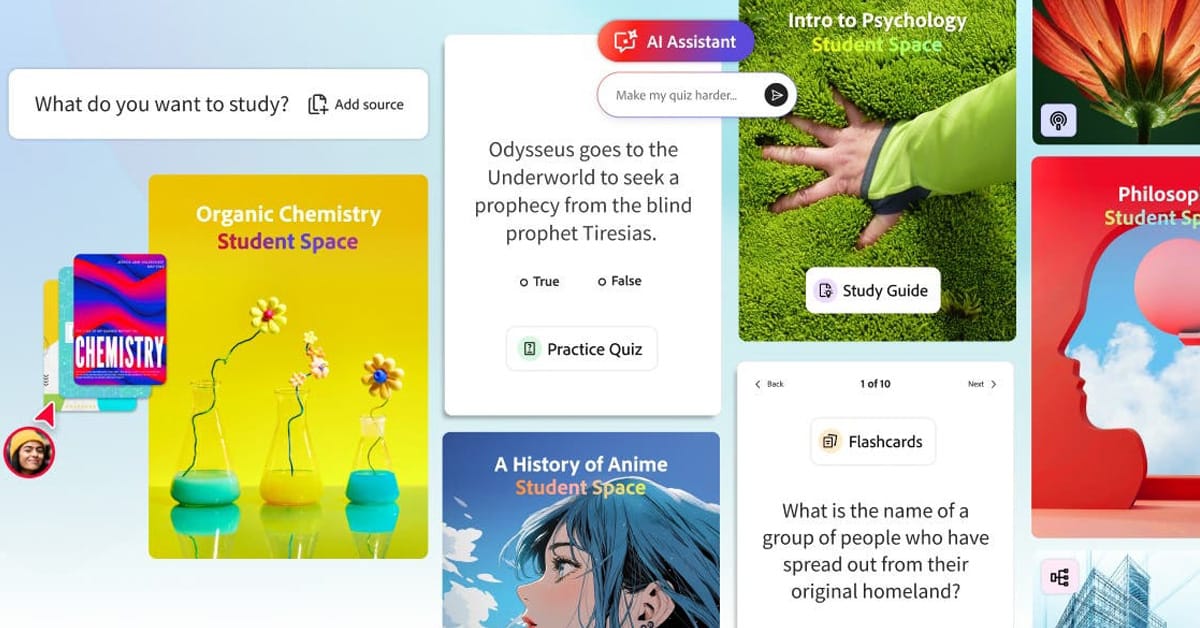
California: Adobe has launched Acrobat Student Spaces, a new free AI‑powered study tool designed especially for students. The feature is built into Adobe Acrobat and aims to help students study more effectively.
Student Spaces allows users to turn their study materials into useful learning tools. Students can upload PDFs, documents, presentations, spreadsheets, links, handwritten notes, and transcripts into one place. Once the material is added, the AI can create flashcards, quizzes, mind maps, study guides, podcasts, and presentations. This helps students break down large topics into simpler formats for revision.
Adobe says the tool is free to use and does not require users to log in to get started. The company hopes this will make the tool easy to access for students everywhere.
A key feature of Student Spaces is its AI assistant. Students can ask questions about their uploaded material and get clear answers based only on their own documents. The assistant also shows where each answer comes from by linking back to the source material. Adobe says this helps reduce mistakes and makes the AI more reliable for studying.
Student Spaces supports different learning styles too. Visual learners can use mind maps and presentations, while others can listen to audio summaries or podcast‑style explanations. Students can also test themselves using quizzes and flashcards generated from their notes. This makes the tool useful for exam preparation and quick revision.
Another important feature is collaboration. Students can invite classmates into shared spaces to work together on group projects, share notes, and create presentations in real time.
Adobe has also added a focus mode for solo study. This reduces distractions and helps students stay focused while reading or revising their materials.
The company developed Student Spaces by working with more than 500 students from universities including Harvard, Berkeley, and Brown. Feedback from these students helped shape the final product.
Adobe says many students already use Acrobat to read PDFs and course materials. Student Spaces is meant to turn Acrobat into a one‑stop hub for studying instead of switching between multiple apps.
The launch puts Adobe in direct competition with tools like Google NotebookLM, Quizlet, and GoodNotes. Adobe believes its advantage is offering everything under one roof.
For now, Student Spaces is available through Acrobat on the web and mobile browsers. Adobe plans to improve and expand the tool based on student feedback.

 Previous


